v0.2.0
A smarter History
Find past dictations by day or topic, see how much time you saved, and let Wispra pick the right tone for each app.
New
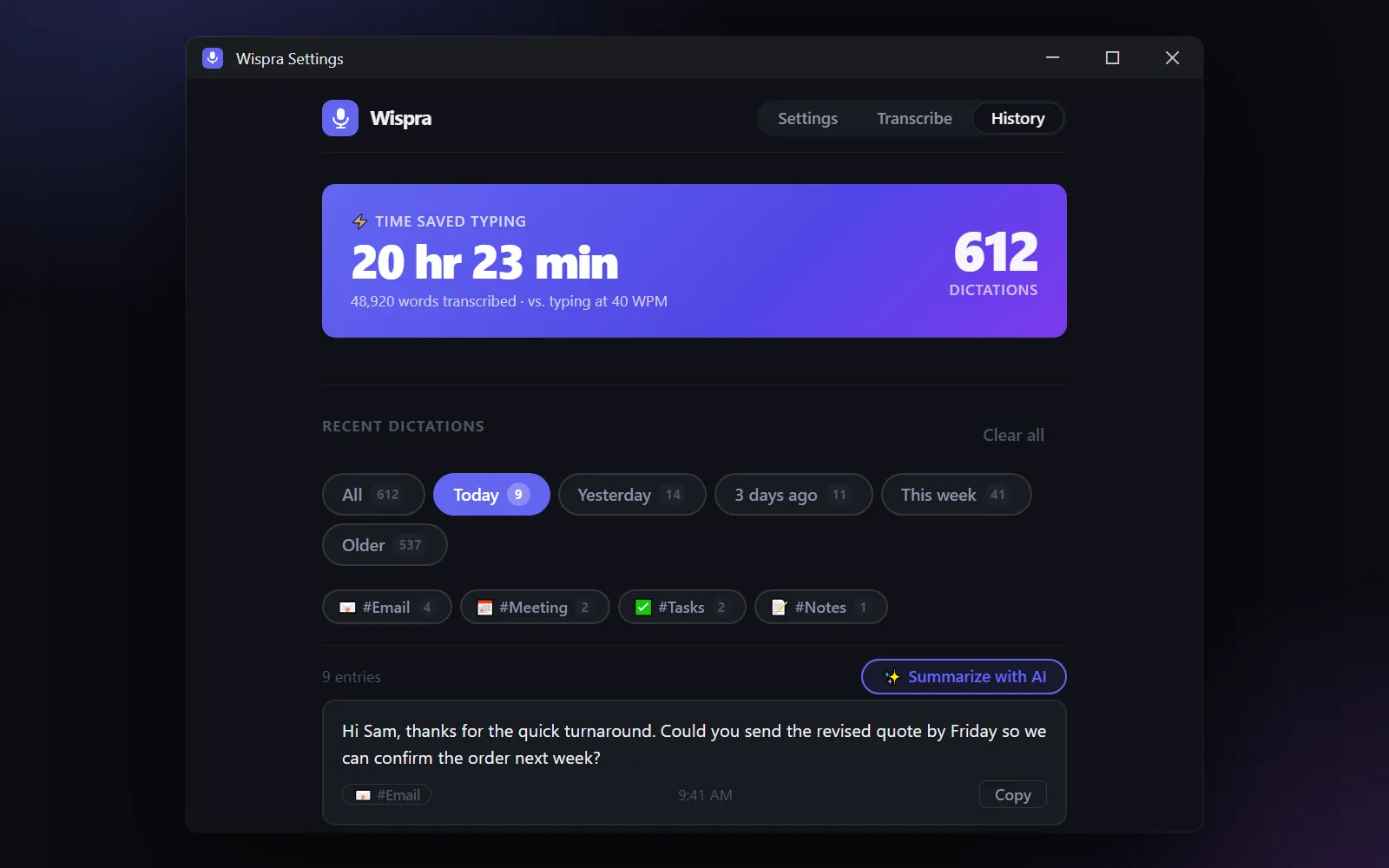
- History by day and by topic: filter by Today, Yesterday, This week and more, or by topics like #Email and #Meeting.
- Summarize with AI: a bullet-point summary of everything you dictated on a topic.
- Time saved: see how many hours you saved compared with typing.
- Smart tone: Vietnamese speech and apps like email or chat get the matching cleanup automatically.
- Voice commands for punctuation ("new paragraph", "comma"…), text snippets, undo by saying "delete that", usage statistics and history export.
Improved
- AI cleanup is now on by default.
- Sound cues work even when Windows sounds are muted, and the floating icon no longer gets cut off at screen edges.
- Settings opens automatically after you install.