v0.6.3
Meeting transcripts in four columns
See who spoke, about what, and what needs doing, side by side.
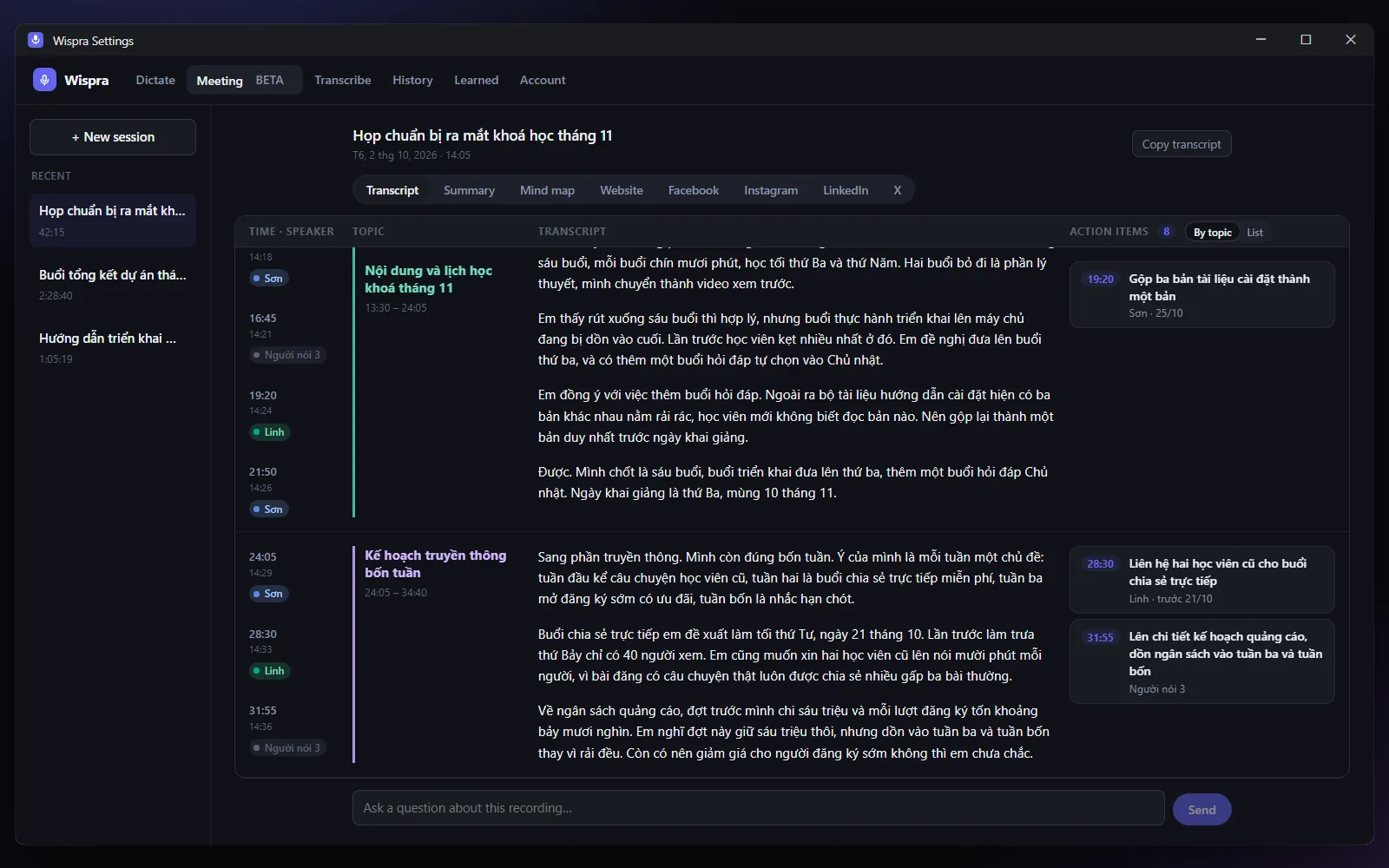
New
- Transcript in four columns: time and speaker, topic, what was said, and action items. Topics cover the whole recording and action items sit next to the topic they came up in. Switch to a single list of action items any time, and click one to jump to where it was said.
- Speaker names. Names said in the recording ("I'm Linh", "over to Sam") label the paragraphs they speak, and in "Both" mode paragraphs are marked You or Others. Click a label to rename a speaker everywhere. No voice recognition, and nothing about anyone's voice is stored.
- Choose where transcription and AI run: Wispra Cloud or your own Groq API key, under Settings → Account. Switching never deletes a saved key.
Improved
- Mind map, website and social posts are created only when you press the button, not every time you open the tab.
- Posts wait out the AI provider's per-minute limit and try again, and the tab tells you it is waiting.
- The window opens wider so all four columns fit; narrower windows fold them neatly.
Fixed
- Transcribing a file with Wispra Cloud now works when you are signed in.