v0.6.0
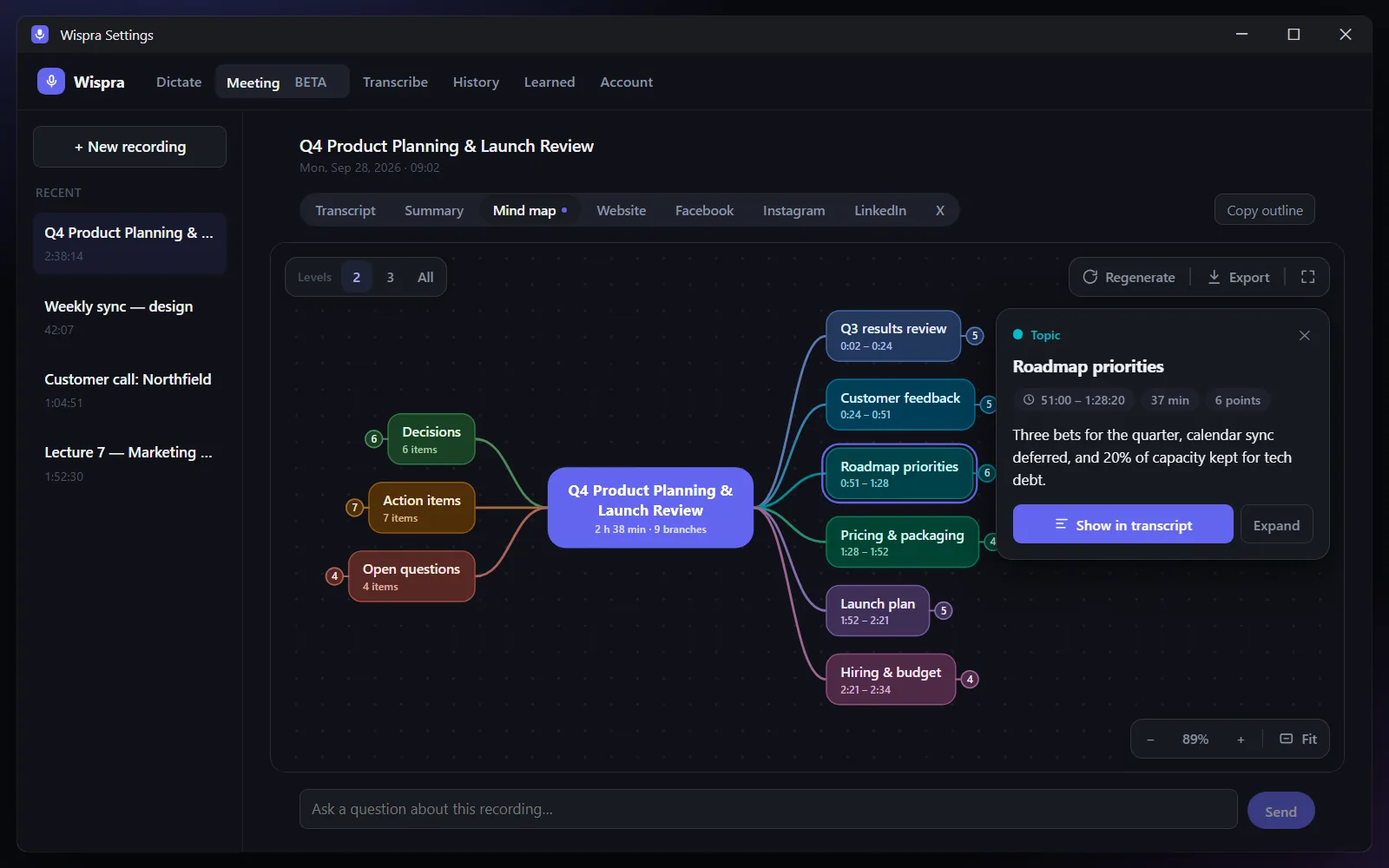
Mind maps for your meetings
Turn any finished recording into a clickable map of what was discussed.
New
- Mind map. A finished recording gets a Mind map tab next to Summary. Long meetings are outlined part by part, so nothing in the middle is skipped. Click a point and "Show in transcript" to jump to that moment. Export as an image or copy as an outline.
- Cloud sync (optional, off by default). Keep a copy of your History, Meetings and learned words in your Wispra account.
- Connect your AI assistant. A private, read-only link lets ChatGPT, Claude and other assistants read your synced dictations and meetings. You can set an expiry and change the link at any time.
Improved
- Summaries of long meetings are much more thorough, with one section per topic.
- The window opens wider so a meeting's tabs fit on one line.
Fixed
- A website or social post that failed no longer retries over and over; it shows the error and a Try again button.
- The garbled-text filter no longer drops a whole sentence when only part of it is unclear.